Disclosure: As an Amazon Associate I earn from qualifying purchases. Some links go to other retailers and may also earn us a commission. Full disclosure.
Not sure it fits your year? Check your Model Y: 2020–2024, Juniper (15.4″ or 16″ screen) or Model Y L →
Featured photo: Ethan Llamas / Wikimedia Commons (CC BY-SA 4.0), cropped.
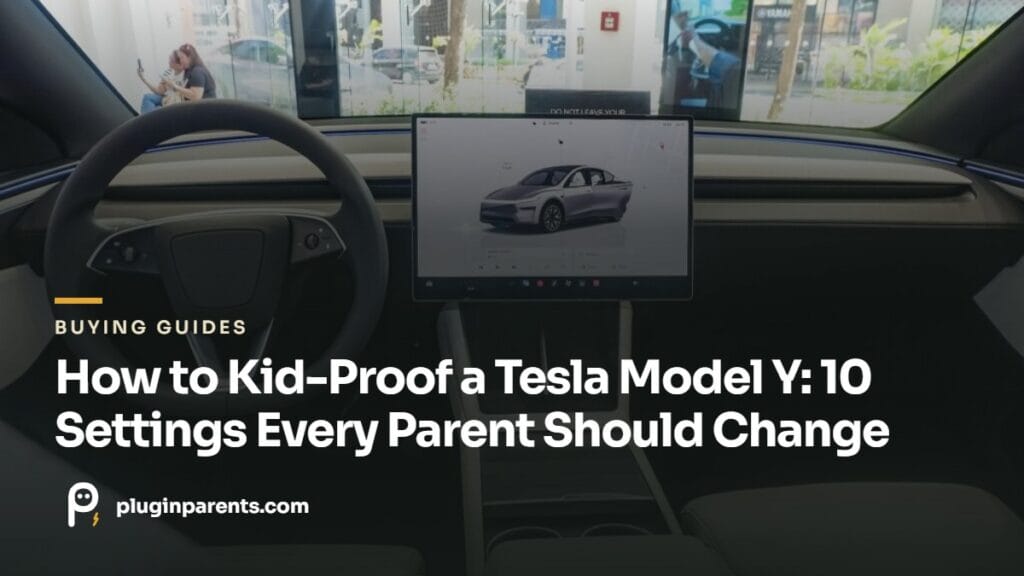
Menu paths are for current software on the 2025–2027 Juniper; older cars have the same settings, occasionally one tap deeper.
1. Child locks: rear doors and rear windows
Controls → Locks → Child Protection Lock. Turn on for both rear doors. With it on, the inside rear handles do nothing; the doors only open from outside. This is the one setting every parent should check before the first drive, because a Model Y rear door opens with a very light pull that a two-year-old can manage. There’s a separate Window Lock in the same area that disables the rear window switches while leaving the driver’s controls working.
2. Quiet the chimes that wake sleeping kids
Controls → Safety → Joe Mode. This lowers the volume of the non-critical chimes (the ones for Autopilot nags, seatbelt reminders for the rear seats, and similar) without touching the ones that actually matter. Named after an owner who asked for it so his kids would stay asleep. If you’ve ever had a sleeping toddler in the back while the car pinged at you for six straight minutes at a light, this is the fix.
3. Glovebox PIN
Controls → Safety → Glovebox PIN. Set a four-digit code and the glovebox stays shut to anyone who doesn’t know it. Useful for medication, the spare key card, or anything else a curious front-seat passenger shouldn’t be into. The glovebox button on the screen then asks for the PIN.
4. Take over the rear screen from the front
On the 2025+ Juniper, the driver can see and control the 8-inch rear screen from the front display: open the rear screen remote control from the app tray at the bottom of the main screen. From there you can pause or stop a video, change what’s playing, or turn the rear screen off entirely, without reaching back. Pair kids’ Bluetooth headphones to the rear screen (two at a time) so video sound stays out of the cabin. Our rear screen guide covers what it can and can’t do.
5. Keep Climate On when one adult steps out
Climate → Keep Climate On (choose “Keep”). When one parent stays in the car with a sleeping child while the other runs into the gas station, this keeps the climate running exactly as it was while the car sits in Park. You’ll also see Dog in the same menu, which adds a big cabin-temperature display on the screen for passers-by, but it’s designed for pets. Tesla is clear that a child should never be left alone in the car, and none of these settings changes that. If the car is going to be a bedroom for the night, that’s Camp Mode, and it has its own battery math.
6. PIN to Drive and Speed Limit Mode
Controls → Safety → PIN to Drive means the car won’t move without a code even if someone has the phone key or key card. It’s a theft setting that also stops a kid who has learned that the car goes when you press the pedal. Speed Limit Mode (same menu) caps the car’s top speed behind a PIN; you won’t need it for a toddler, but it’s worth knowing it exists for the day a teenager borrows the car. Lock both behind a PIN the kids don’t know.
7. Chill Mode and the acceleration setting
Controls → Pedals & Steering → Acceleration → Chill. The Model Y’s default acceleration is quick enough to slam a car seat occupant back into the seat. Chill smooths it out for daily kid-hauling and is easier on everyone’s stomach. Switch it back for the highway on-ramp if you want.
8. Cabin Overheat Protection
Climate → Cabin Overheat Protection. Keeps the cabin under about 105°F when the car is parked, for up to twelve hours. It’s not a substitute for anything to do with children in the car; what it does is stop the car seats, buckles and the glass-roof-baked back seat from being too hot to touch when you load the kids in on a summer afternoon. Pair it with a roof sunshade and the back seat is bearable even in July.
9. Walk-Away Door Lock and Sentry Mode at home
Controls → Locks → Walk-Away Door Lock should be on so the car locks itself when you walk away with the phone, which matters when you’re carrying a child and can’t spare a hand. Sentry Mode can be set to exclude your home location so it isn’t recording (and draining the battery) in your own driveway; our Sentry battery drain guide has the details.
10. Profiles: one for you, one for the other driver
Tesla driver profiles save seat, mirror and steering positions along with many of these settings. Easy Entry, which slides the seat back when you park, is worth turning off if it collides with a rear-facing seat behind it.
Two things worth keeping in the car alongside these settings:

Spigen Lifting Jack Pads (4-Pack + Case)
Owner-testedProtects the battery pack if anyone but a Tesla center ever lifts the car
$41.43 off today on Amazon · price as of 2026-11-19 (details)
Fanttik X9 APEX Cordless Tire Inflator
Research pickFor the glovebox or sub-trunk; pairs with the settings above for road trip readiness
$56.8437% off today on Amazon · price as of 2026-11-19 (details)
WOLFBOX HF19 Cordless Tire Inflator
Research pickBudget pick · cordless, palm-sized, digital auto-stop
$54.9921% off today on Amazon · price as of 2026-11-19 (details)The budget alternative: Wolfbox’s HF19 is about half the price of the Fanttik and small enough for the glovebox, with a digital gauge that stops at the pressure you set. It has far fewer reviews than the Fanttik, so we list it as a research pick; the Fanttik is still our main recommendation.
Two more worth turning on
Child seat locks
Under Controls > Seats, the child seat locks stop the rear seats from being reclined or folded with the rear-seat controls, so a curious kid can’t fold a seat while another child is sitting in it. You can still adjust the rear seats from the front touchscreen or fold them from the trunk.
Car Left Open notifications
Under Controls > Locks > Car Left Open Notifications, the Tesla app can alert you if a door, trunk or window is left open or the car is left unlocked. With kids climbing in and out, it catches the door nobody closed. Close Windows on Lock, in the same menu, is worth turning on too.
What settings can’t do
None of this replaces a correctly installed car seat, kick mats for the seat backs, or the sunshade. For the gear side, start with the 20 accessories families actually use, and if you’re new to the car, the Start Here guide puts everything in order.
Not sure which screen your car has? Our 16-inch vs 15.4-inch screen guide explains which Model Y trims and build dates got which.
Still choosing seats? Start with our best car seats for a Tesla Model Y guide.
Pairs well with
- BASENOR Seat Back Kick Protectors Research pick: covers the front seat backs from little shoes
- Lamicall Headrest Tablet Holder Research pick: a second screen for long drives
- Spigen Door Pocket Trash Can Owner-tested: one of the first things we added; lives in the same door pocket
Affiliate links: we may earn a commission at no cost to you.
Amazon prices on this page update automatically and are dated on each product. Fit and availability can change, so check the listing before you buy.
Already driving a Tesla?
Tesla’s current referral offer: a free month of Full Self-Driving (Supervised) when you use our referral link. It’s for eligible current Tesla owners and doesn’t apply to buying a new car. Offer last checked November 12, 2026; Tesla can change or end it, so check the current terms on Tesla’s page.
Disclosure: we receive a referral credit if you use it.
New to the car? Start with our delivery checklist, then come back here for the settings.
Free: the one-page new-owner checklist
Day-one settings, the first things worth buying, winter prep and road-trip basics, on a single page you can print or keep on your phone. We email it to you. No spam; unsubscribe anytime.
Frequently Asked Questions
Can I lock the rear windows but leave the doors unlocked?
Yes. Window Lock and Child Protection Lock are separate settings; use either or both.
Do these settings carry over to the Model Y L?
Yes. The three-row Model Y L runs the same software, and the child lock applies to the second-row doors.
Will Joe Mode silence the seatbelt warning for the front seats?
No. Joe Mode lowers non-critical chimes; the front seatbelt and collision warnings stay at full volume by design.
How do I restart the Tesla Model Y screen if it freezes or goes black?
With the car in Park, press and hold both scroll buttons on the steering wheel until the touchscreen turns black, then wait for it to come back on. It’s the fix Tesla’s manual gives for a frozen or unresponsive screen, and it’s worth knowing before a long drive with kids who depend on the rear screen.
Related Guides
The rear screen, explained for parents · Camp Mode with a toddler · Glass roof sunshades · Start Here
Keep reading
Product prices and availability are accurate as of the date/time indicated and are subject to change. Any price and availability information displayed on Amazon.com at the time of purchase will apply to the purchase of this product.